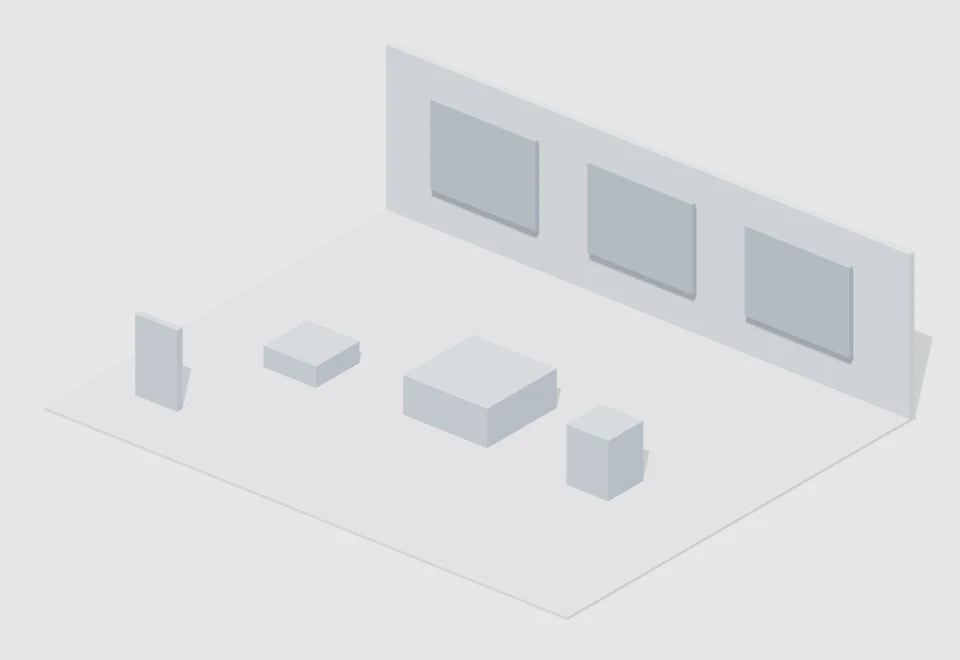
THE STARTING POINT

Less setup.
More scene.

Original, free GLB object models and signed scene template packs. Download a starter, import it into Baimo Director and make it your own.

CURATED BY BAIMO DIRECTOR

Find your next building block.

19 free resources

More original object models and scene templates will be added over time. Check back for new resources.

Self-contained GLB files. Import into the scene object list; scale and position them as you need.

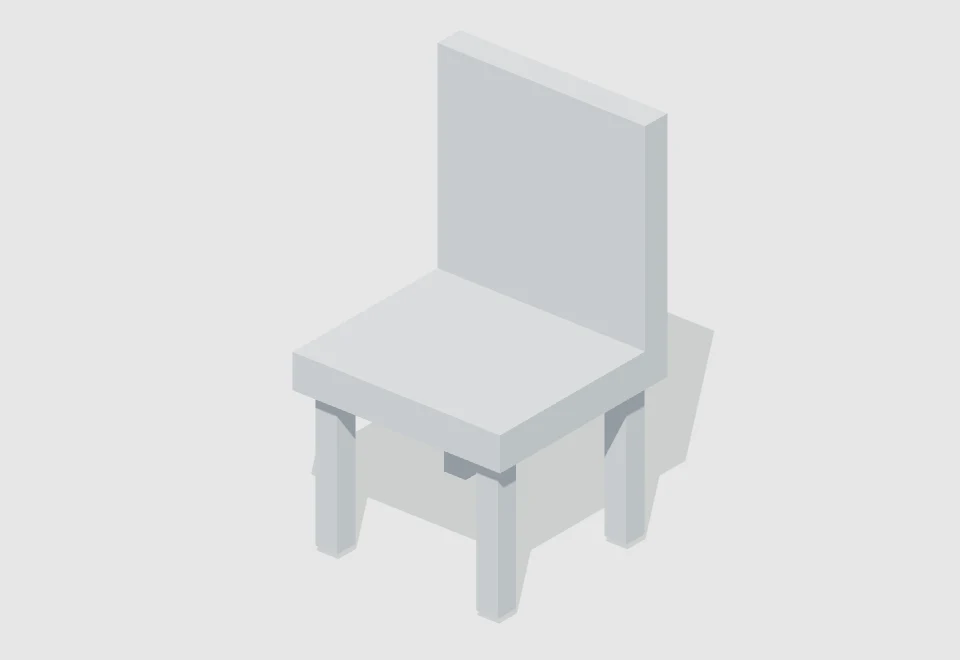
Block chair — actual 3D previewGLBView resource ↗

Furniture/Chairs & stools

Block chair

By · Baimo Director

A simple seat, backrest and four legs for interviews or waiting areas.

Medium · 0.62 × 1.1 × 0.6 mTimeless / unspecified

↓ Downloads: not tracked yet

Resource details and import
Block chair — actual 3D render

Block chair

A simple seat, backrest and four legs for interviews or waiting areas.

ConversationWaitingInterior
Author
Baimo Director
Category
Furniture / Chairs & stools
Scale
Medium
Bounds · W × H × D
0.62 × 1.1 × 0.6 m
Era
Timeless / unspecified
Specific period
No specific period
Region
Region-neutral
Interpretation
Original simplified white model
File format / size
GLB · 11.7 KB
Resource version
v1.0.0
Added / updated
2026-10-18 / 2026-10-18
Downloads
Not tracked yet
Import access
Pro / active trial
Compatibility
v1.4.1+ · Mac / Windows
Contents
6 mesh parts

Dimensions are the unscaled model bounds in metres. Scale tiers use the longest edge.

Import in three steps

  1. Download the GLB file and open Baimo Director.
  2. In the scene object panel, choose “Import model” and select the GLB file.
  3. Select and focus the imported object, then adjust scale and position.

Static white models, without rigs, textures or animation. Files are below the app’s 8 MB model import limit.

Use & attribution

Original resources by Baimo Director for scene creation and previs. Contact the platform before redistributing or reselling the resource files separately.

Download statistics are not enabled yet; no historical numbers have been estimated.

SHA-256 file checksum8647c39974ab9aa80d0c39c01dc38225fa0460e2ccb28ccf3e3529cddfb73f73
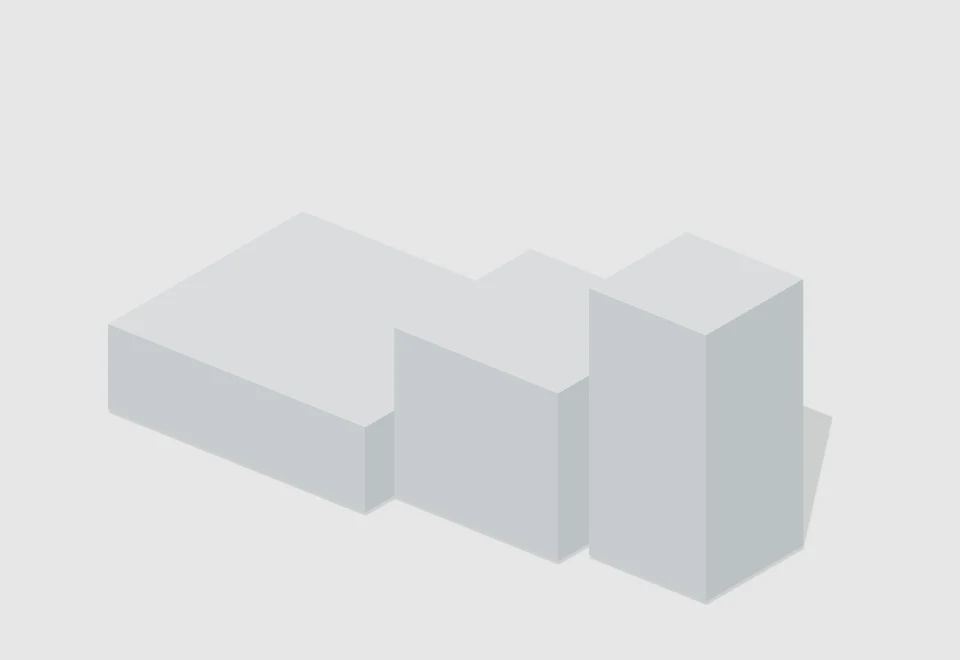
Stepped display plinth — actual 3D previewGLBView resource ↗

Display & commercial fixtures/Display plinths

Stepped display plinth

By · Baimo Director

Three heights for product staging and composition studies.

Medium · 2.35 × 1 × 1 mTimeless / unspecified

↓ Downloads: not tracked yet

Resource details and import
Stepped display plinth — actual 3D render

Stepped display plinth

Three heights for product staging and composition studies.

Product displayCompositionModular
Author
Baimo Director
Category
Display & commercial fixtures / Display plinths
Scale
Medium
Bounds · W × H × D
2.35 × 1 × 1 m
Era
Timeless / unspecified
Specific period
No specific period
Region
Region-neutral
Interpretation
Original simplified white model
File format / size
GLB · 5.8 KB
Resource version
v1.0.0
Added / updated
2026-10-18 / 2026-10-18
Downloads
Not tracked yet
Import access
Pro / active trial
Compatibility
v1.4.1+ · Mac / Windows
Contents
3 mesh parts

Dimensions are the unscaled model bounds in metres. Scale tiers use the longest edge.

Import in three steps

  1. Download the GLB file and open Baimo Director.
  2. In the scene object panel, choose “Import model” and select the GLB file.
  3. Select and focus the imported object, then adjust scale and position.

Static white models, without rigs, textures or animation. Files are below the app’s 8 MB model import limit.

Use & attribution

Original resources by Baimo Director for scene creation and previs. Contact the platform before redistributing or reselling the resource files separately.

Download statistics are not enabled yet; no historical numbers have been estimated.

SHA-256 file checksum2319f566bd5cab28c69b3e5fa17e4daa03aa61898ba01057b0d9f11c8a30fb9f
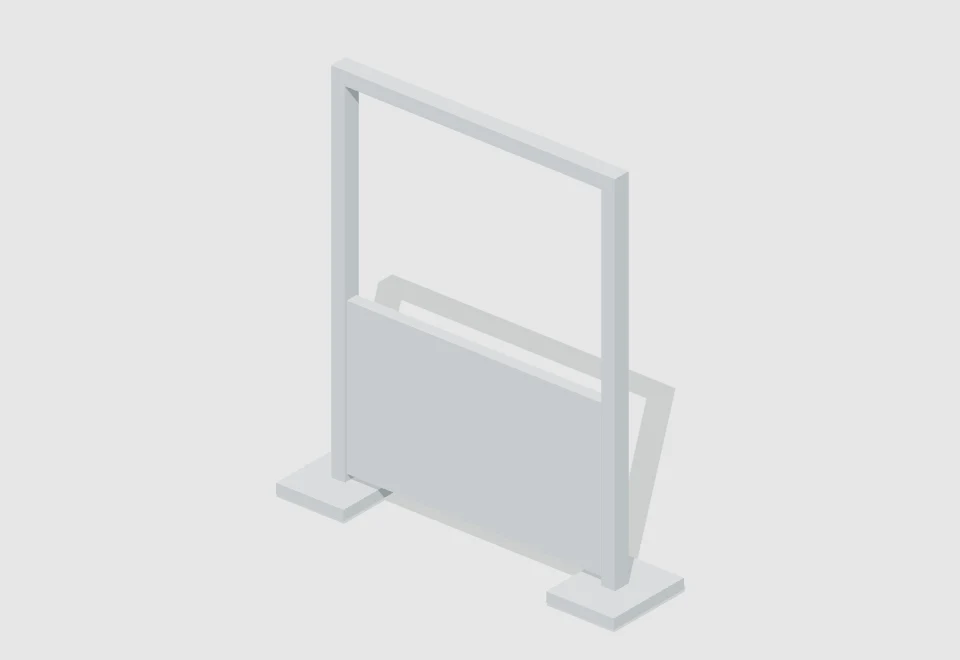
Modular frame divider — actual 3D previewGLBView resource ↗

Architectural elements/Walls & partitions

Modular frame divider

By · Baimo Director

An open frame and half-height panel to divide an interior.

Medium · 2 × 2.2 × 0.5 mTimeless / unspecified

↓ Downloads: not tracked yet

Resource details and import
Modular frame divider — actual 3D render

Modular frame divider

An open frame and half-height panel to divide an interior.

ModularInteriorBlocking
Author
Baimo Director
Category
Architectural elements / Walls & partitions
Scale
Medium
Bounds · W × H × D
2 × 2.2 × 0.5 m
Era
Timeless / unspecified
Specific period
No specific period
Region
Region-neutral
Interpretation
Original simplified white model
File format / size
GLB · 11.6 KB
Resource version
v1.0.0
Added / updated
2026-10-18 / 2026-10-18
Downloads
Not tracked yet
Import access
Pro / active trial
Compatibility
v1.4.1+ · Mac / Windows
Contents
6 mesh parts

Dimensions are the unscaled model bounds in metres. Scale tiers use the longest edge.

Import in three steps

  1. Download the GLB file and open Baimo Director.
  2. In the scene object panel, choose “Import model” and select the GLB file.
  3. Select and focus the imported object, then adjust scale and position.

Static white models, without rigs, textures or animation. Files are below the app’s 8 MB model import limit.

Use & attribution

Original resources by Baimo Director for scene creation and previs. Contact the platform before redistributing or reselling the resource files separately.

Download statistics are not enabled yet; no historical numbers have been estimated.

SHA-256 file checksum6fa06bd02769961a94346a9fbae7f414e8fa18ccfb402ba51911a9a5e2a72b63
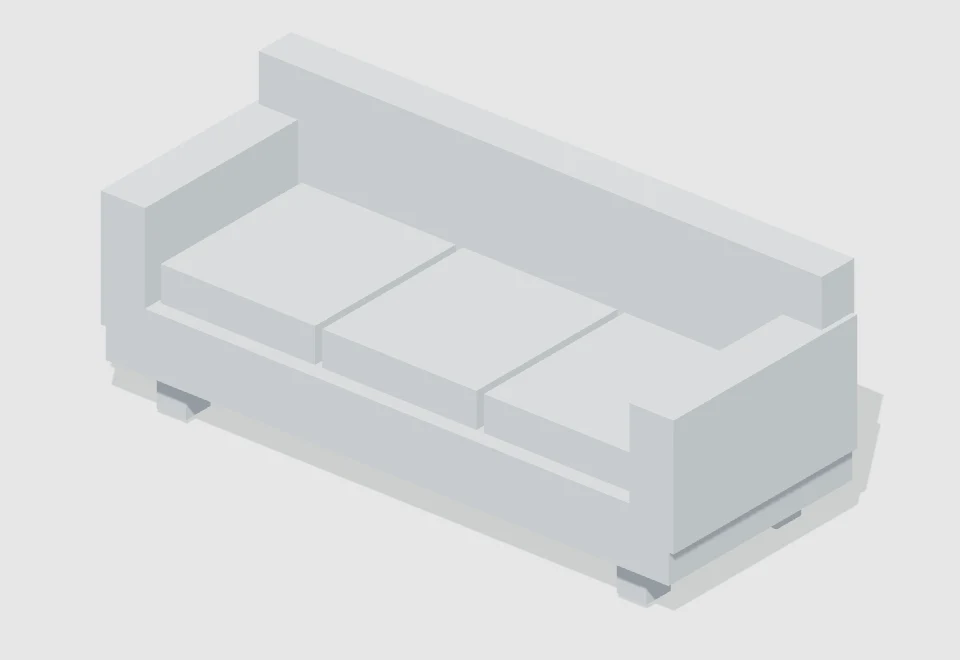
Three-seat sofa — actual 3D previewGLBView resource ↗

Furniture/Sofas

Three-seat sofa

By · Baimo Director

Three cushions, armrests and a low back for living-room dialogue and lounge staging.

Medium · 2.34 × 0.94 × 0.91 mContemporary

↓ Downloads: not tracked yet

Resource details and import
Three-seat sofa — actual 3D render

Three-seat sofa

Three cushions, armrests and a low back for living-room dialogue and lounge staging.

LoungeHome dialogueInterior
Author
Baimo Director
Category
Furniture / Sofas
Scale
Medium
Bounds · W × H × D
2.34 × 0.94 × 0.91 m
Era
Contemporary
Specific period
No specific period
Region
Region-neutral
Interpretation
Original simplified white model
File format / size
GLB · 21.2 KB
Resource version
v1.0.0
Added / updated
2026-10-18 / 2026-10-18
Downloads
Not tracked yet
Import access
Pro / active trial
Compatibility
v1.4.1+ · Mac / Windows
Contents
11 mesh parts

Dimensions are the unscaled model bounds in metres. Scale tiers use the longest edge.

Import in three steps

  1. Download the GLB file and open Baimo Director.
  2. In the scene object panel, choose “Import model” and select the GLB file.
  3. Select and focus the imported object, then adjust scale and position.

Static white models, without rigs, textures or animation. Files are below the app’s 8 MB model import limit.

Use & attribution

Original resources by Baimo Director for scene creation and previs. Contact the platform before redistributing or reselling the resource files separately.

Download statistics are not enabled yet; no historical numbers have been estimated.

SHA-256 file checksum71f829346e3a7e5f2e965a31ba77dc7f40382e9398b0f752f5380c13e1cfa14d
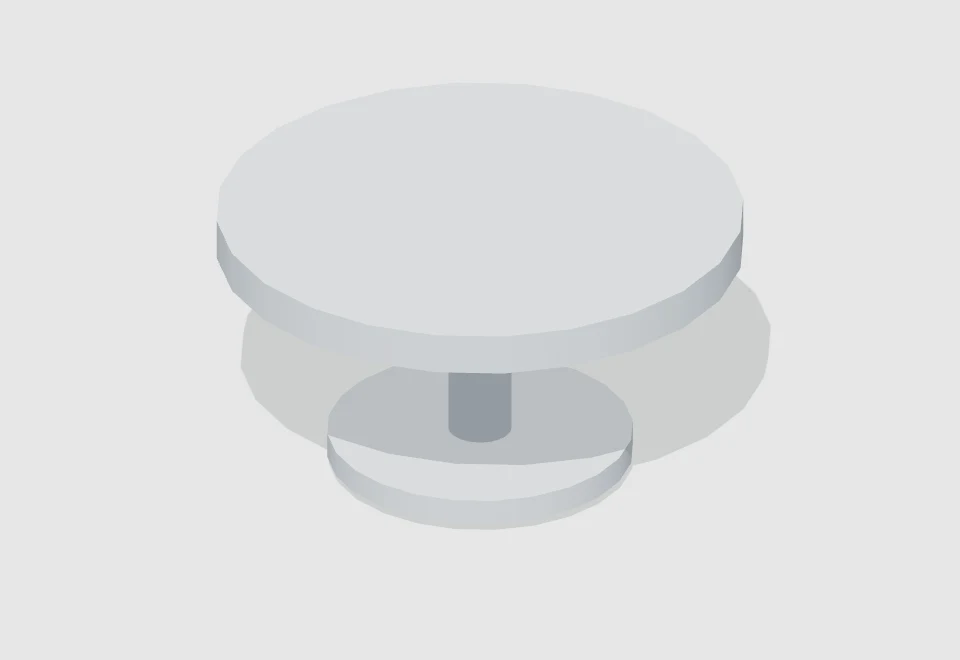
Round coffee table — actual 3D previewGLBView resource ↗

Furniture/Tables

Round coffee table

By · Baimo Director

A round top and central pedestal for small conversations, lounges and product staging.

Medium · 1 × 0.52 × 1 mTimeless / unspecified

↓ Downloads: not tracked yet

Resource details and import
Round coffee table — actual 3D render

Round coffee table

A round top and central pedestal for small conversations, lounges and product staging.

ConversationLoungeProduct display
Author
Baimo Director
Category
Furniture / Tables
Scale
Medium
Bounds · W × H × D
1 × 0.52 × 1 m
Era
Timeless / unspecified
Specific period
No specific period
Region
Region-neutral
Interpretation
Original simplified white model
File format / size
GLB · 19.0 KB
Resource version
v1.0.0
Added / updated
2026-10-18 / 2026-10-18
Downloads
Not tracked yet
Import access
Pro / active trial
Compatibility
v1.4.1+ · Mac / Windows
Contents
3 mesh parts

Dimensions are the unscaled model bounds in metres. Scale tiers use the longest edge.

Import in three steps

  1. Download the GLB file and open Baimo Director.
  2. In the scene object panel, choose “Import model” and select the GLB file.
  3. Select and focus the imported object, then adjust scale and position.

Static white models, without rigs, textures or animation. Files are below the app’s 8 MB model import limit.

Use & attribution

Original resources by Baimo Director for scene creation and previs. Contact the platform before redistributing or reselling the resource files separately.

Download statistics are not enabled yet; no historical numbers have been estimated.

SHA-256 file checksum0396ac6184e119cd1a36c49aeab8ef04f223c8f6263578b964ba2ae9aa75fdb2
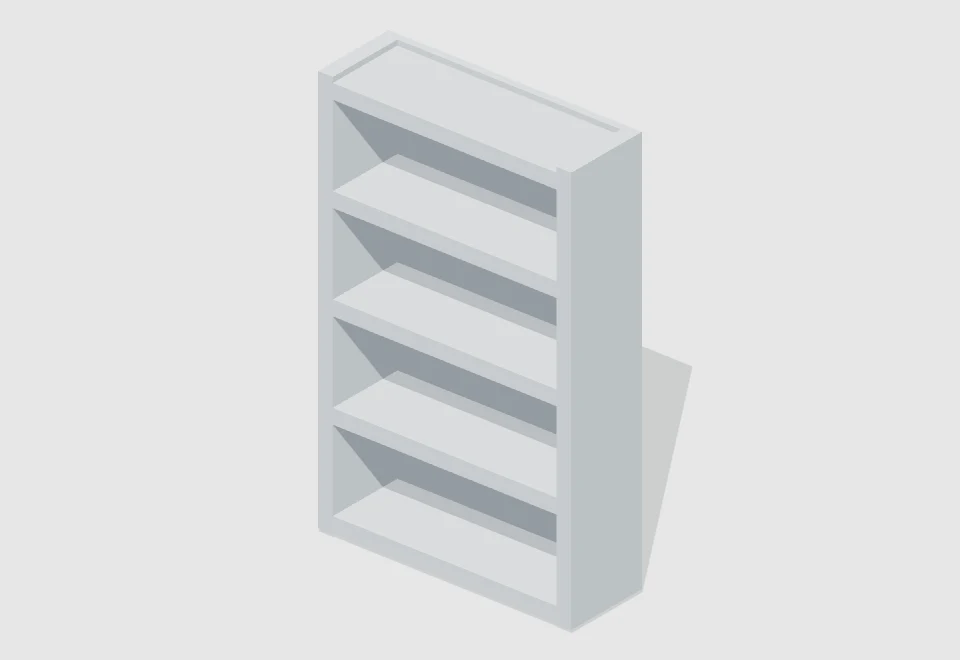
Open bookcase — actual 3D previewGLBView resource ↗

Furniture/Shelves & storage

Open bookcase

By · Baimo Director

Five open shelves for study, classroom or office backgrounds.

Medium · 1.2 × 1.9 × 0.4 mTimeless / unspecified

↓ Downloads: not tracked yet

Resource details and import
Open bookcase — actual 3D render

Open bookcase

Five open shelves for study, classroom or office backgrounds.

StudyInteriorModular
Author
Baimo Director
Category
Furniture / Shelves & storage
Scale
Medium
Bounds · W × H × D
1.2 × 1.9 × 0.4 m
Era
Timeless / unspecified
Specific period
No specific period
Region
Region-neutral
Interpretation
Original simplified white model
File format / size
GLB · 15.4 KB
Resource version
v1.0.0
Added / updated
2026-10-18 / 2026-10-18
Downloads
Not tracked yet
Import access
Pro / active trial
Compatibility
v1.4.1+ · Mac / Windows
Contents
8 mesh parts

Dimensions are the unscaled model bounds in metres. Scale tiers use the longest edge.

Import in three steps

  1. Download the GLB file and open Baimo Director.
  2. In the scene object panel, choose “Import model” and select the GLB file.
  3. Select and focus the imported object, then adjust scale and position.

Static white models, without rigs, textures or animation. Files are below the app’s 8 MB model import limit.

Use & attribution

Original resources by Baimo Director for scene creation and previs. Contact the platform before redistributing or reselling the resource files separately.

Download statistics are not enabled yet; no historical numbers have been estimated.

SHA-256 file checksum45609e5f08ee749f66280c1ec4d812062b1b75bdd5edf6da1bcc9384d3efc22f
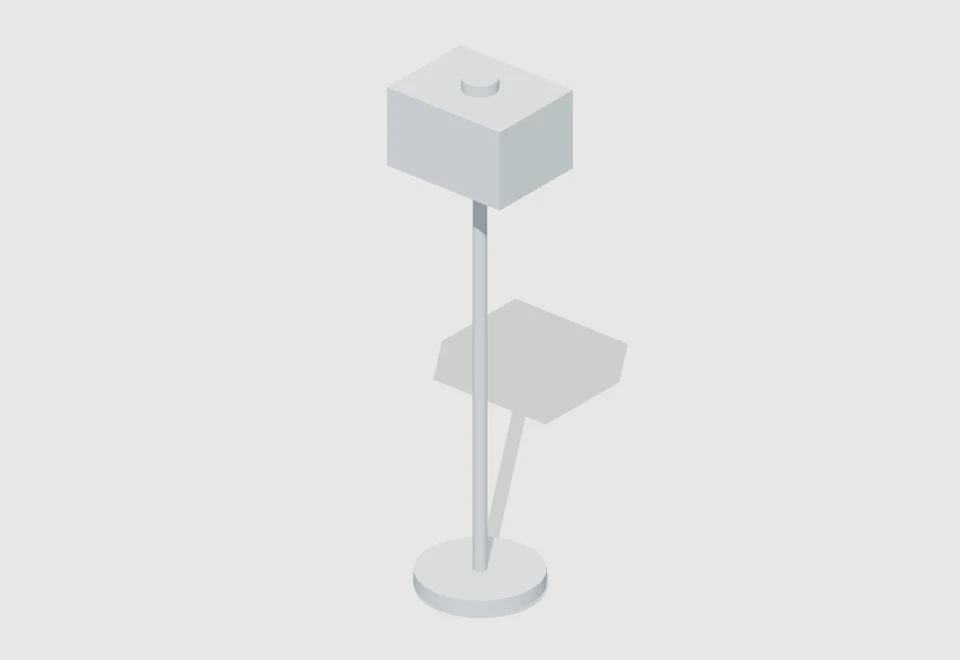
Floor reading lamp — actual 3D previewGLBView resource ↗

Lighting props/Floor lamps

Floor reading lamp

By · Baimo Director

A base, slim stem and simplified shade; a scene prop without a built-in light.

Medium · 0.46 × 1.81 × 0.42 mContemporary

↓ Downloads: not tracked yet

Resource details and import
Floor reading lamp — actual 3D render

Floor reading lamp

A base, slim stem and simplified shade; a scene prop without a built-in light.

StudyLoungeStatic prop
Author
Baimo Director
Category
Lighting props / Floor lamps
Scale
Medium
Bounds · W × H × D
0.46 × 1.81 × 0.42 m
Era
Contemporary
Specific period
No specific period
Region
Region-neutral
Interpretation
Original simplified white model
File format / size
GLB · 21.0 KB
Resource version
v1.0.0
Added / updated
2026-10-18 / 2026-10-18
Downloads
Not tracked yet
Import access
Pro / active trial
Compatibility
v1.4.1+ · Mac / Windows
Contents
4 mesh parts

Dimensions are the unscaled model bounds in metres. Scale tiers use the longest edge.

Import in three steps

  1. Download the GLB file and open Baimo Director.
  2. In the scene object panel, choose “Import model” and select the GLB file.
  3. Select and focus the imported object, then adjust scale and position.

Static white models, without rigs, textures or animation. Files are below the app’s 8 MB model import limit.

Use & attribution

Original resources by Baimo Director for scene creation and previs. Contact the platform before redistributing or reselling the resource files separately.

Download statistics are not enabled yet; no historical numbers have been estimated.

SHA-256 file checksum4f688bd475bfb4a099496291cf55fffd90f7a8ec659d2205179be8e69c6f1985
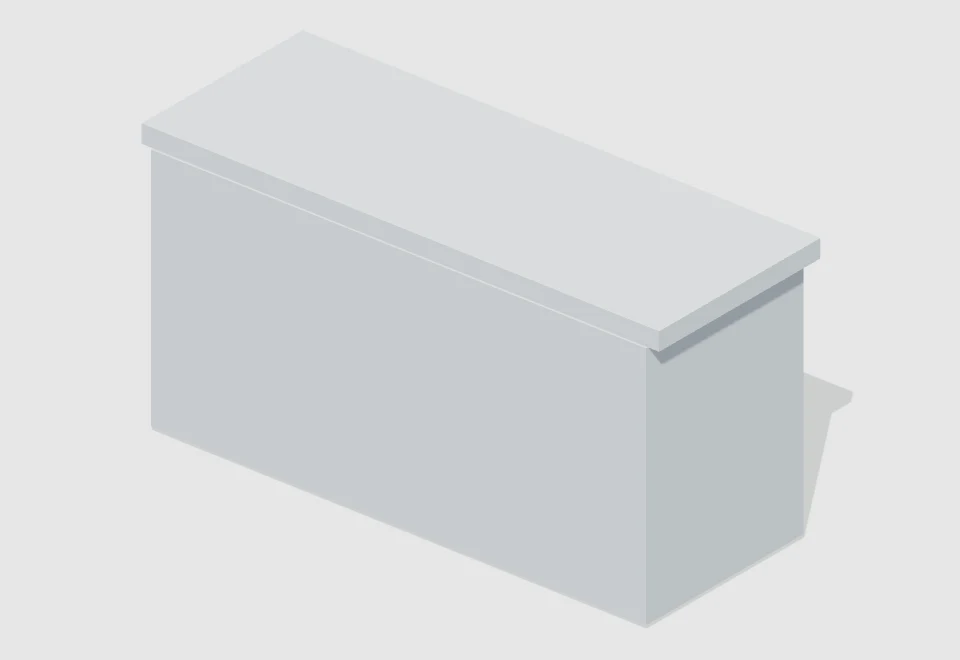
Reception counter — actual 3D previewGLBView resource ↗

Display & commercial fixtures/Reception counters

Reception counter

By · Baimo Director

A worktop and front panel for reception, enquiry and handover scenes.

Medium · 2.3 × 1.16 × 0.87 mContemporary

↓ Downloads: not tracked yet

Resource details and import
Reception counter — actual 3D render

Reception counter

A worktop and front panel for reception, enquiry and handover scenes.

WaitingConversationInterior
Author
Baimo Director
Category
Display & commercial fixtures / Reception counters
Scale
Medium
Bounds · W × H × D
2.3 × 1.16 × 0.87 m
Era
Contemporary
Specific period
No specific period
Region
Region-neutral
Interpretation
Original simplified white model
File format / size
GLB · 9.7 KB
Resource version
v1.0.0
Added / updated
2026-10-18 / 2026-10-18
Downloads
Not tracked yet
Import access
Pro / active trial
Compatibility
v1.4.1+ · Mac / Windows
Contents
5 mesh parts

Dimensions are the unscaled model bounds in metres. Scale tiers use the longest edge.

Import in three steps

  1. Download the GLB file and open Baimo Director.
  2. In the scene object panel, choose “Import model” and select the GLB file.
  3. Select and focus the imported object, then adjust scale and position.

Static white models, without rigs, textures or animation. Files are below the app’s 8 MB model import limit.

Use & attribution

Original resources by Baimo Director for scene creation and previs. Contact the platform before redistributing or reselling the resource files separately.

Download statistics are not enabled yet; no historical numbers have been estimated.

SHA-256 file checksum61a913f13bb31b444b67cc6680ed1cfa93c5397c28f5bca823cb3600561daa25
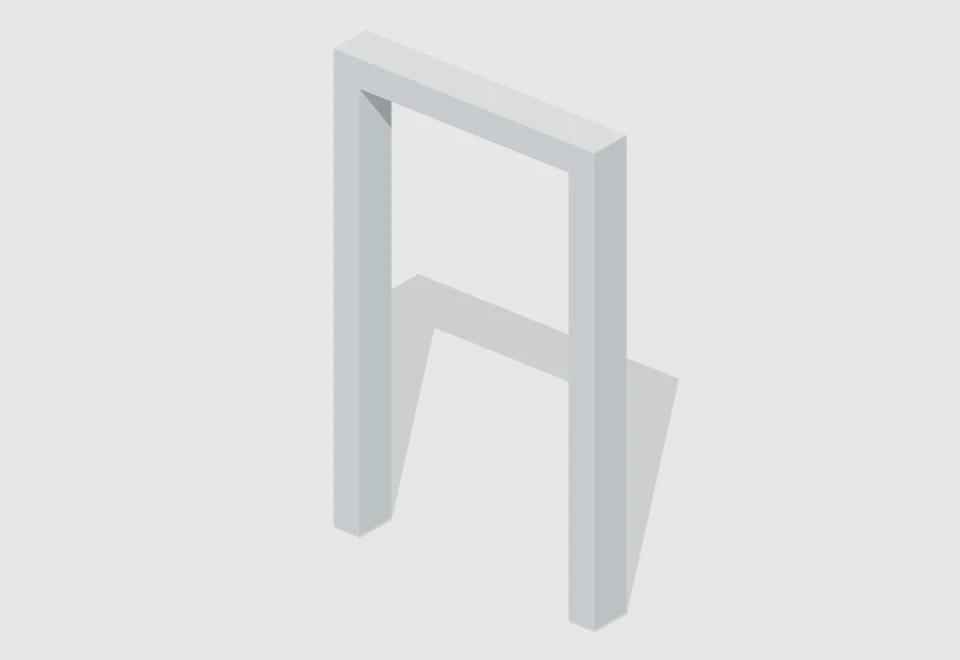
Open doorway — actual 3D previewGLBView resource ↗

Architectural elements/Doors & entrances

Open doorway

By · Baimo Director

A floor-standing frame without a door leaf for entrance blocking and doorway composition.

Medium · 1.5 × 2.4 × 0.22 mTimeless / unspecified

↓ Downloads: not tracked yet

Resource details and import
Open doorway — actual 3D render

Open doorway

A floor-standing frame without a door leaf for entrance blocking and doorway composition.

EntrancesBlockingComposition
Author
Baimo Director
Category
Architectural elements / Doors & entrances
Scale
Medium
Bounds · W × H × D
1.5 × 2.4 × 0.22 m
Era
Timeless / unspecified
Specific period
No specific period
Region
Region-neutral
Interpretation
Original simplified white model
File format / size
GLB · 5.9 KB
Resource version
v1.0.0
Added / updated
2026-10-18 / 2026-10-18
Downloads
Not tracked yet
Import access
Pro / active trial
Compatibility
v1.4.1+ · Mac / Windows
Contents
3 mesh parts

Dimensions are the unscaled model bounds in metres. Scale tiers use the longest edge.

Import in three steps

  1. Download the GLB file and open Baimo Director.
  2. In the scene object panel, choose “Import model” and select the GLB file.
  3. Select and focus the imported object, then adjust scale and position.

Static white models, without rigs, textures or animation. Files are below the app’s 8 MB model import limit.

Use & attribution

Original resources by Baimo Director for scene creation and previs. Contact the platform before redistributing or reselling the resource files separately.

Download statistics are not enabled yet; no historical numbers have been estimated.

SHA-256 file checksum468691172ca5148c826d8f914d52122d2976287b01fb1c38b9934041cc5cbeb0

Signed template packs. Import into the template library, then choose a scene to add. Existing scenes are replaced when you load a template, so save your project first.

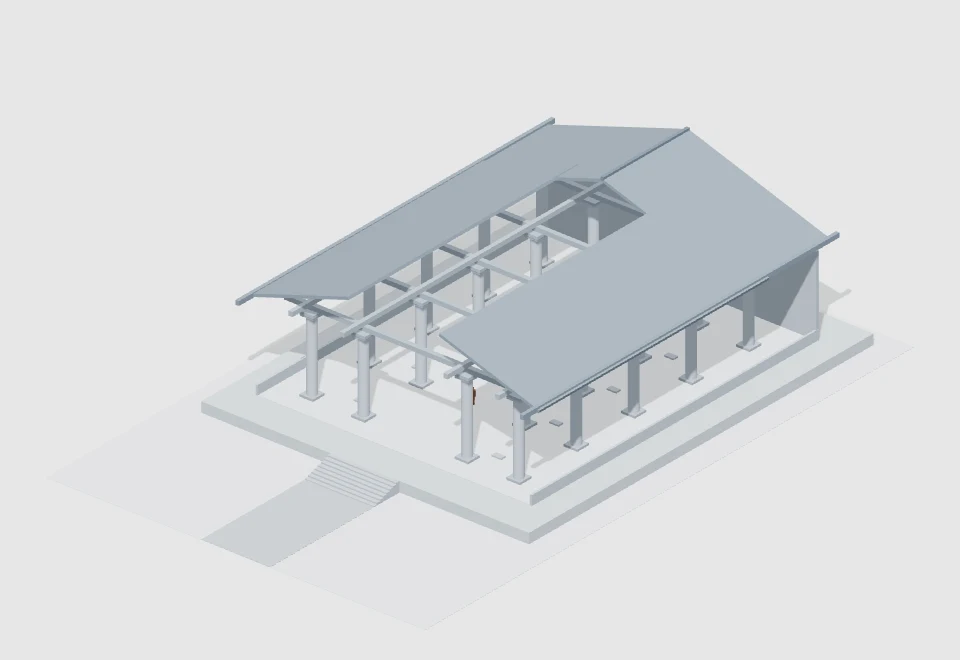
Qin-inspired royal audience hall — actual 3D preview.baimo-packView resource ↗

Palatial & ceremonial/Royal audience halls

Qin-inspired royal audience hall

By · Baimo Director

A 32 × 40 m hall with 20 columns, an axial throne and 1.75 m scale figures. A partial roof keeps the set accessible for cameras and blocking.

Extra large · 44 × 16.78 × 68 mAncient

↓ Downloads: not tracked yet

Resource details and import
Qin-inspired royal audience hall — actual 3D render

Qin-inspired royal audience hall

A 32 × 40 m hall with 20 columns, an axial throne and 1.75 m scale figures. A partial roof keeps the set accessible for cameras and blocking.

Qin-inspiredRoyal audienceAxial layoutLarge setHuman scaleCutaway set
Author
Baimo Director
Category
Palatial & ceremonial / Royal audience halls
Scale
Extra large
Bounds · W × H × D
44 × 16.78 × 68 m
Site footprint
44 × 68 m · 2992 m²
Era
Ancient
Specific period
Qin-inspired film setting
Region
Chinese-inspired
Interpretation
Original film set, not a historical reconstruction
File format / size
.baimo-pack · 85.1 KB
Resource version
v1.0.0
Added / updated
2026-10-18 / 2026-10-18
Downloads
Not tracked yet
Import access
Pro / active trial
Compatibility
v1.4.1+ · Mac / Windows
Contents
140 scene objects

Dimensions are the entire layout bounds; footprint is measured from the site floor. Scale tiers use footprint area.

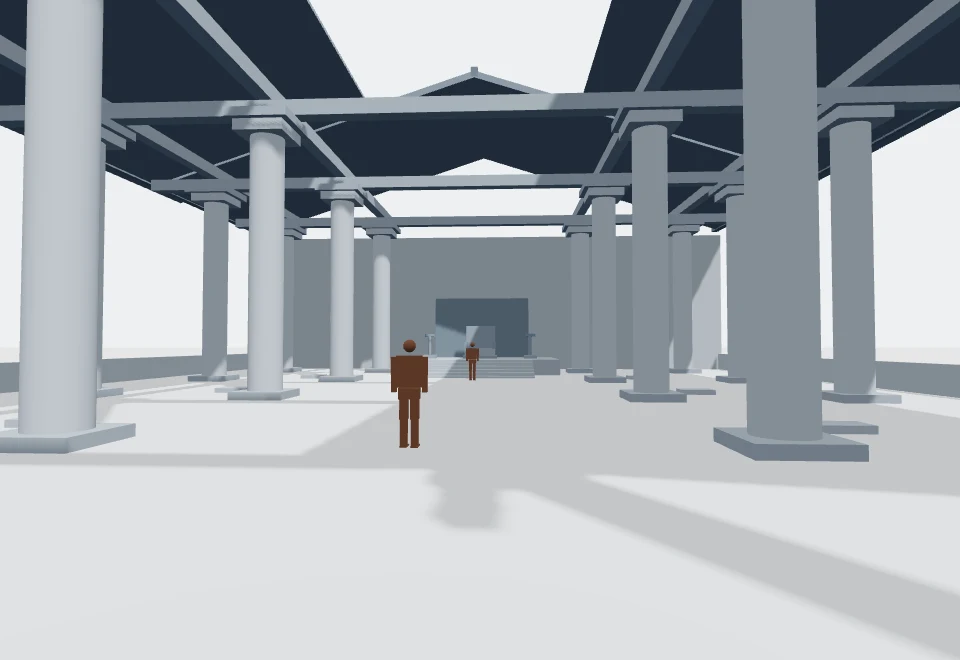
Interior view facing the throne, with human-scale reference figures
Interior view · human-scale reference

An original Qin-inspired film set, not a historical reconstruction. Site: 44 × 68 m; columns: 8 m tall and 1.05 m in diameter; stair rises: 0.15 m, treads: 0.45 m. The central bay spans 12 m between column centres, with about 10.95 m of clear width; two figures are 1.75 m tall. Side and rear roof planes remain while the centre/front are cut away. Hide named roof and beam objects as needed. Lamp stands are static props, without built-in lights.

Import in three steps

  1. Download the .baimo-pack file and save your current project.
  2. Open the template library and choose “Import template pack”; select the downloaded file. In older versions, look under “More”.
  3. Choose the imported template in the library to load it. Loading replaces the current scene objects.

General signed starter pack, without customer binding. The existing Pro access check still applies. No authored camera shots, dialogue or animation.

Use & attribution

Original resources by Baimo Director for scene creation and previs. Contact the platform before redistributing or reselling the resource files separately.

Download statistics are not enabled yet; no historical numbers have been estimated.

SHA-256 file checksum4dc6df5490db7494a2a986bfe64aebe2111a9d96d70466fa55fbffff4bec0153
Two-seat interview corner — actual 3D preview.baimo-packView resource ↗

Work & learning/Interview sets

Two-seat interview corner

By · Baimo Director

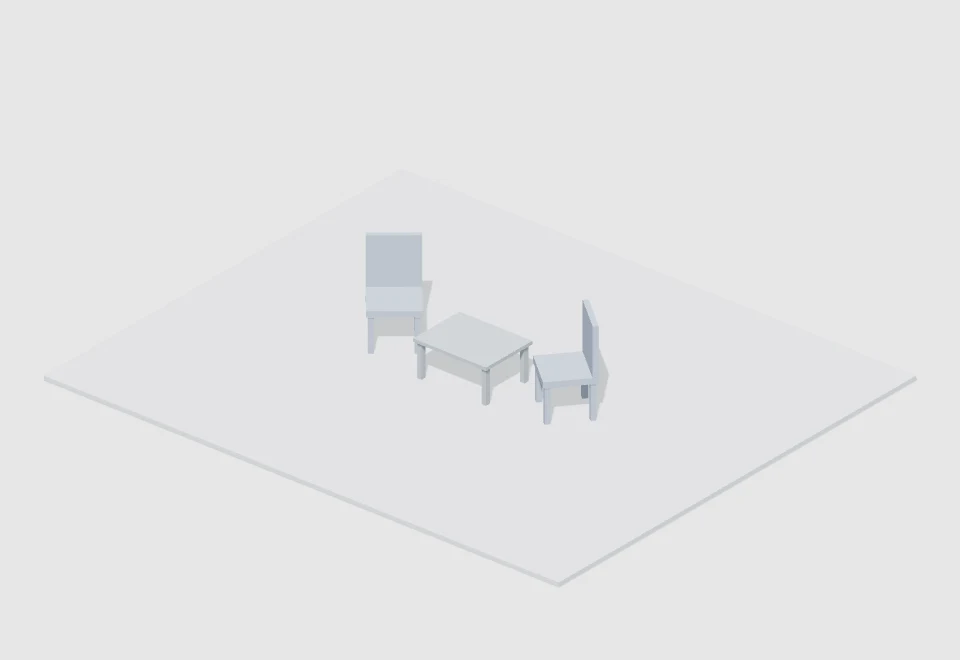
Two chairs and a small table, with room for reverse and profile shots.

Medium · 6 × 1.01 × 5 mContemporary

↓ Downloads: not tracked yet

Resource details and import
Two-seat interview corner — actual 3D render

Two-seat interview corner

Two chairs and a small table, with room for reverse and profile shots.

InterviewConversationReverse shots
Author
Baimo Director
Category
Work & learning / Interview sets
Scale
Medium
Bounds · W × H × D
6 × 1.01 × 5 m
Site footprint
6 × 5 m · 30 m²
Era
Contemporary
Specific period
No specific period
Region
Region-neutral
Interpretation
Original simplified white model
File format / size
.baimo-pack · 2.8 KB
Resource version
v1.0.0
Added / updated
2026-10-18 / 2026-10-18
Downloads
Not tracked yet
Import access
Pro / active trial
Compatibility
v1.4.1+ · Mac / Windows
Contents
4 scene objects

Dimensions are the entire layout bounds; footprint is measured from the site floor. Scale tiers use footprint area.

Import in three steps

  1. Download the .baimo-pack file and save your current project.
  2. Open the template library and choose “Import template pack”; select the downloaded file. In older versions, look under “More”.
  3. Choose the imported template in the library to load it. Loading replaces the current scene objects.

General signed starter pack, without customer binding. The existing Pro access check still applies. No authored camera shots, dialogue or animation.

Use & attribution

Original resources by Baimo Director for scene creation and previs. Contact the platform before redistributing or reselling the resource files separately.

Download statistics are not enabled yet; no historical numbers have been estimated.

SHA-256 file checksum485c2eaff981fdd65e8af952042ed99ba177b0361d51d850fb75f31553c72f5d
Product display stage — actual 3D preview.baimo-packView resource ↗

Commercial & exhibition/Product staging

Product display stage

By · Baimo Director

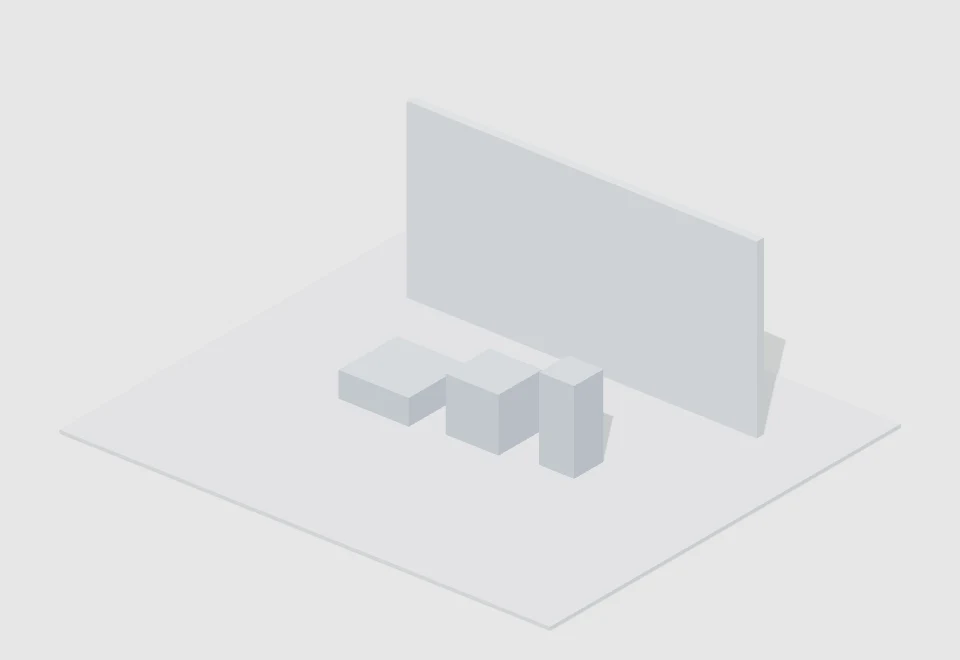
Layered plinths and a backdrop for product framing studies.

Medium · 7 × 2.5 × 6 mTimeless / unspecified

↓ Downloads: not tracked yet

Resource details and import
Product display stage — actual 3D render

Product display stage

Layered plinths and a backdrop for product framing studies.

Product displayCompositionModular
Author
Baimo Director
Category
Commercial & exhibition / Product staging
Scale
Medium
Bounds · W × H × D
7 × 2.5 × 6 m
Site footprint
7 × 6 m · 42 m²
Era
Timeless / unspecified
Specific period
No specific period
Region
Region-neutral
Interpretation
Original simplified white model
File format / size
.baimo-pack · 3.3 KB
Resource version
v1.0.0
Added / updated
2026-10-18 / 2026-10-18
Downloads
Not tracked yet
Import access
Pro / active trial
Compatibility
v1.4.1+ · Mac / Windows
Contents
5 scene objects

Dimensions are the entire layout bounds; footprint is measured from the site floor. Scale tiers use footprint area.

Import in three steps

  1. Download the .baimo-pack file and save your current project.
  2. Open the template library and choose “Import template pack”; select the downloaded file. In older versions, look under “More”.
  3. Choose the imported template in the library to load it. Loading replaces the current scene objects.

General signed starter pack, without customer binding. The existing Pro access check still applies. No authored camera shots, dialogue or animation.

Use & attribution

Original resources by Baimo Director for scene creation and previs. Contact the platform before redistributing or reselling the resource files separately.

Download statistics are not enabled yet; no historical numbers have been estimated.

SHA-256 file checksumdfa0829f1d4f7c0a3168f66a93906bb5128b059226102d6414f03b00648de366
Small meeting area — actual 3D preview.baimo-packView resource ↗

Work & learning/Meeting rooms

Small meeting area

By · Baimo Director

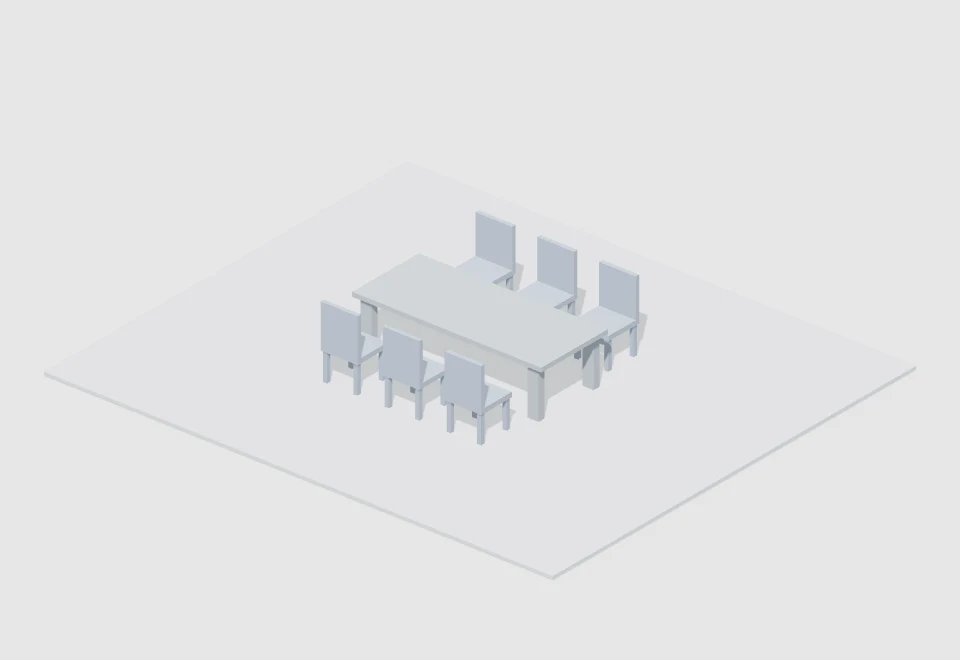
A six-seat discussion layout, ready for your cameras, cast and props.

Medium · 7 × 1.01 × 6 mContemporary

↓ Downloads: not tracked yet

Resource details and import
Small meeting area — actual 3D render

Small meeting area

A six-seat discussion layout, ready for your cameras, cast and props.

Group dialogueConversationInterior
Author
Baimo Director
Category
Work & learning / Meeting rooms
Scale
Medium
Bounds · W × H × D
7 × 1.01 × 6 m
Site footprint
7 × 6 m · 42 m²
Era
Contemporary
Specific period
No specific period
Region
Region-neutral
Interpretation
Original simplified white model
File format / size
.baimo-pack · 5.0 KB
Resource version
v1.0.0
Added / updated
2026-10-18 / 2026-10-18
Downloads
Not tracked yet
Import access
Pro / active trial
Compatibility
v1.4.1+ · Mac / Windows
Contents
8 scene objects

Dimensions are the entire layout bounds; footprint is measured from the site floor. Scale tiers use footprint area.

Import in three steps

  1. Download the .baimo-pack file and save your current project.
  2. Open the template library and choose “Import template pack”; select the downloaded file. In older versions, look under “More”.
  3. Choose the imported template in the library to load it. Loading replaces the current scene objects.

General signed starter pack, without customer binding. The existing Pro access check still applies. No authored camera shots, dialogue or animation.

Use & attribution

Original resources by Baimo Director for scene creation and previs. Contact the platform before redistributing or reselling the resource files separately.

Download statistics are not enabled yet; no historical numbers have been estimated.

SHA-256 file checksumab3ce02f7d95d34c77fedfe9cb072bc67d2dc3380d94b0ed5f310b7b1fd86cf4
Cafe conversation area — actual 3D preview.baimo-packView resource ↗

Commercial & exhibition/Cafes & dining

Cafe conversation area

By · Baimo Director

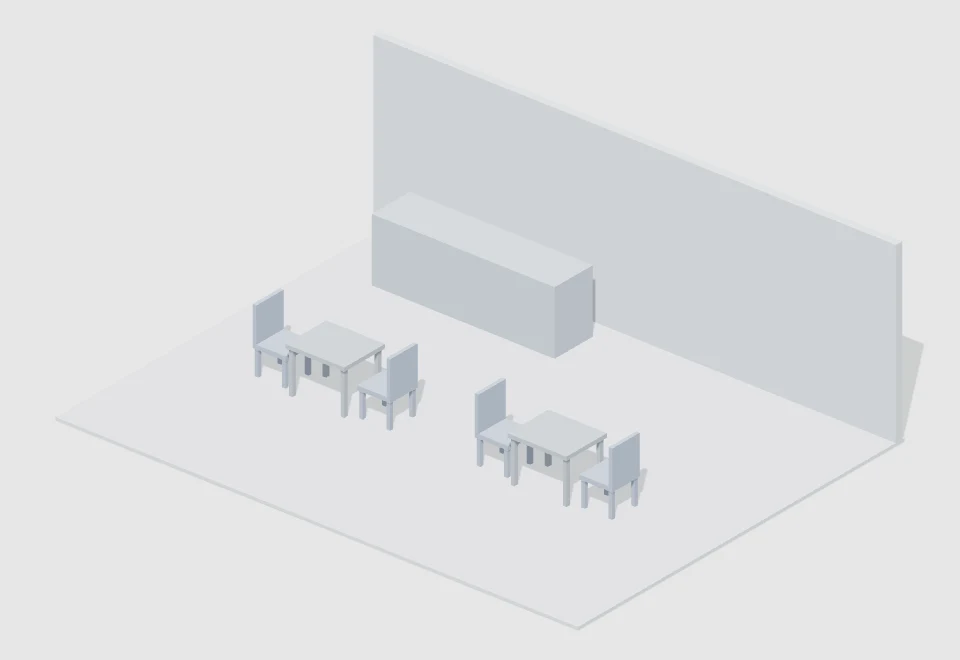
Two tables for two, a counter and a rear wall for conversation or waiting scenes.

Medium · 8 × 2.7 × 6 mContemporary

↓ Downloads: not tracked yet

Resource details and import
Cafe conversation area — actual 3D render

Cafe conversation area

Two tables for two, a counter and a rear wall for conversation or waiting scenes.

ConversationWaitingInterior
Author
Baimo Director
Category
Commercial & exhibition / Cafes & dining
Scale
Medium
Bounds · W × H × D
8 × 2.7 × 6 m
Site footprint
8 × 6 m · 48 m²
Era
Contemporary
Specific period
No specific period
Region
Region-neutral
Interpretation
Original simplified white model
File format / size
.baimo-pack · 5.6 KB
Resource version
v1.0.0
Added / updated
2026-10-18 / 2026-10-18
Downloads
Not tracked yet
Import access
Pro / active trial
Compatibility
v1.4.1+ · Mac / Windows
Contents
9 scene objects

Dimensions are the entire layout bounds; footprint is measured from the site floor. Scale tiers use footprint area.

Import in three steps

  1. Download the .baimo-pack file and save your current project.
  2. Open the template library and choose “Import template pack”; select the downloaded file. In older versions, look under “More”.
  3. Choose the imported template in the library to load it. Loading replaces the current scene objects.

General signed starter pack, without customer binding. The existing Pro access check still applies. No authored camera shots, dialogue or animation.

Use & attribution

Original resources by Baimo Director for scene creation and previs. Contact the platform before redistributing or reselling the resource files separately.

Download statistics are not enabled yet; no historical numbers have been estimated.

SHA-256 file checksum1baca038df83ccbd5bc83e57da814325ee95a4b67b3ba05ff02b9cc27664ef86
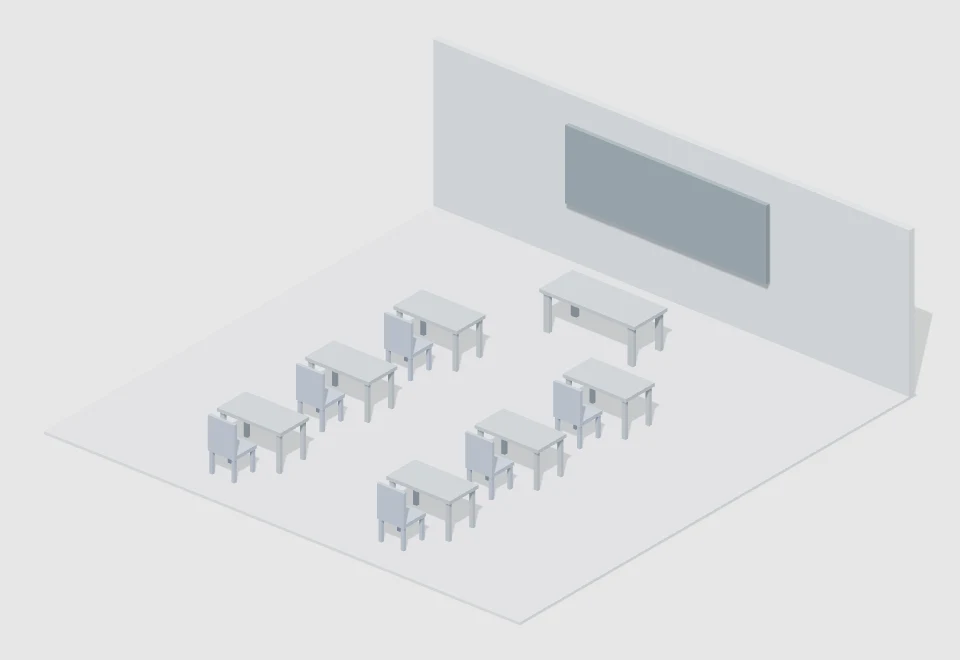
Six-seat classroom — actual 3D preview.baimo-packView resource ↗

Work & learning/Classrooms

Six-seat classroom

By · Baimo Director

Three rows of paired desks, a teaching desk and a board placeholder for classroom dialogue and over-shoulder framing.

Medium · 9 × 2.8 × 9 mContemporary

↓ Downloads: not tracked yet

Resource details and import
Six-seat classroom — actual 3D render

Six-seat classroom

Three rows of paired desks, a teaching desk and a board placeholder for classroom dialogue and over-shoulder framing.

ClassroomGroup dialogueReverse shots
Author
Baimo Director
Category
Work & learning / Classrooms
Scale
Medium
Bounds · W × H × D
9 × 2.8 × 9 m
Site footprint
9 × 9 m · 81 m²
Era
Contemporary
Specific period
No specific period
Region
Region-neutral
Interpretation
Original simplified white model
File format / size
.baimo-pack · 9.6 KB
Resource version
v1.0.0
Added / updated
2026-10-18 / 2026-10-18
Downloads
Not tracked yet
Import access
Pro / active trial
Compatibility
v1.4.1+ · Mac / Windows
Contents
16 scene objects

Dimensions are the entire layout bounds; footprint is measured from the site floor. Scale tiers use footprint area.

Import in three steps

  1. Download the .baimo-pack file and save your current project.
  2. Open the template library and choose “Import template pack”; select the downloaded file. In older versions, look under “More”.
  3. Choose the imported template in the library to load it. Loading replaces the current scene objects.

General signed starter pack, without customer binding. The existing Pro access check still applies. No authored camera shots, dialogue or animation.

Use & attribution

Original resources by Baimo Director for scene creation and previs. Contact the platform before redistributing or reselling the resource files separately.

Download statistics are not enabled yet; no historical numbers have been estimated.

SHA-256 file checksum35359a57a93bfcadd16d45e1a8b3d22553467cb8aaeef2ecfc4e8f1b93221988
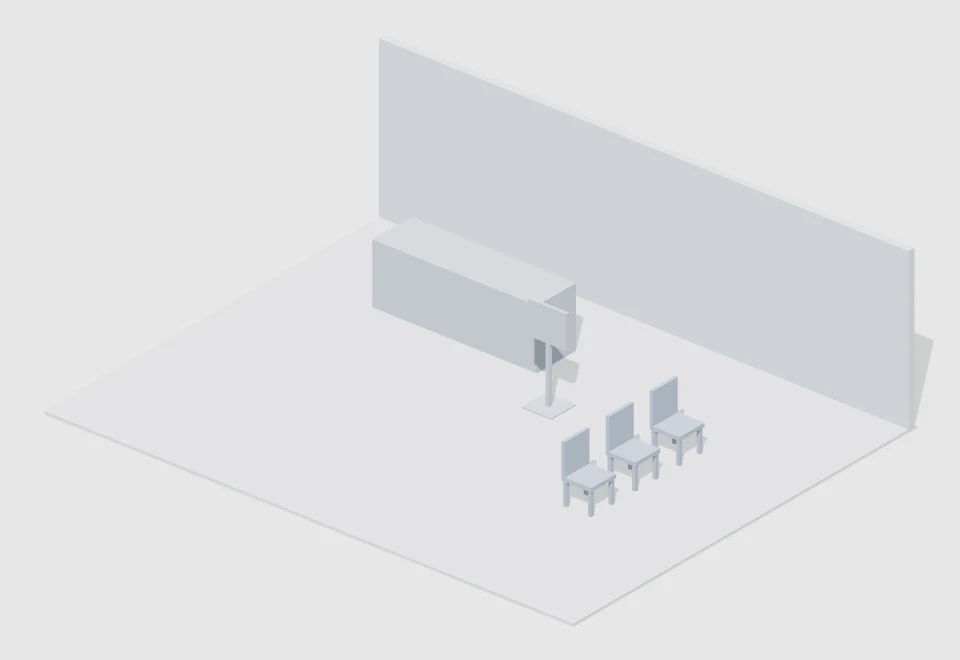
Reception and waiting area — actual 3D preview.baimo-packView resource ↗

Public & circulation spaces/Reception & waiting

Reception and waiting area

By · Baimo Director

A reception desk, waiting chairs and a sign placeholder for enquiry, reception or queue shots.

Medium · 9 × 2.7 × 7 mContemporary

↓ Downloads: not tracked yet

Resource details and import
Reception and waiting area — actual 3D render

Reception and waiting area

A reception desk, waiting chairs and a sign placeholder for enquiry, reception or queue shots.

WaitingConversationBlocking
Author
Baimo Director
Category
Public & circulation spaces / Reception & waiting
Scale
Medium
Bounds · W × H × D
9 × 2.7 × 7 m
Site footprint
9 × 7 m · 63 m²
Era
Contemporary
Specific period
No specific period
Region
Region-neutral
Interpretation
Original simplified white model
File format / size
.baimo-pack · 5.6 KB
Resource version
v1.0.0
Added / updated
2026-10-18 / 2026-10-18
Downloads
Not tracked yet
Import access
Pro / active trial
Compatibility
v1.4.1+ · Mac / Windows
Contents
9 scene objects

Dimensions are the entire layout bounds; footprint is measured from the site floor. Scale tiers use footprint area.

Import in three steps

  1. Download the .baimo-pack file and save your current project.
  2. Open the template library and choose “Import template pack”; select the downloaded file. In older versions, look under “More”.
  3. Choose the imported template in the library to load it. Loading replaces the current scene objects.

General signed starter pack, without customer binding. The existing Pro access check still applies. No authored camera shots, dialogue or animation.

Use & attribution

Original resources by Baimo Director for scene creation and previs. Contact the platform before redistributing or reselling the resource files separately.

Download statistics are not enabled yet; no historical numbers have been estimated.

SHA-256 file checksum70ce441e0f77c887d7bff7c5ea6c98154f98276bdd441ecfd169c016bb8249b8
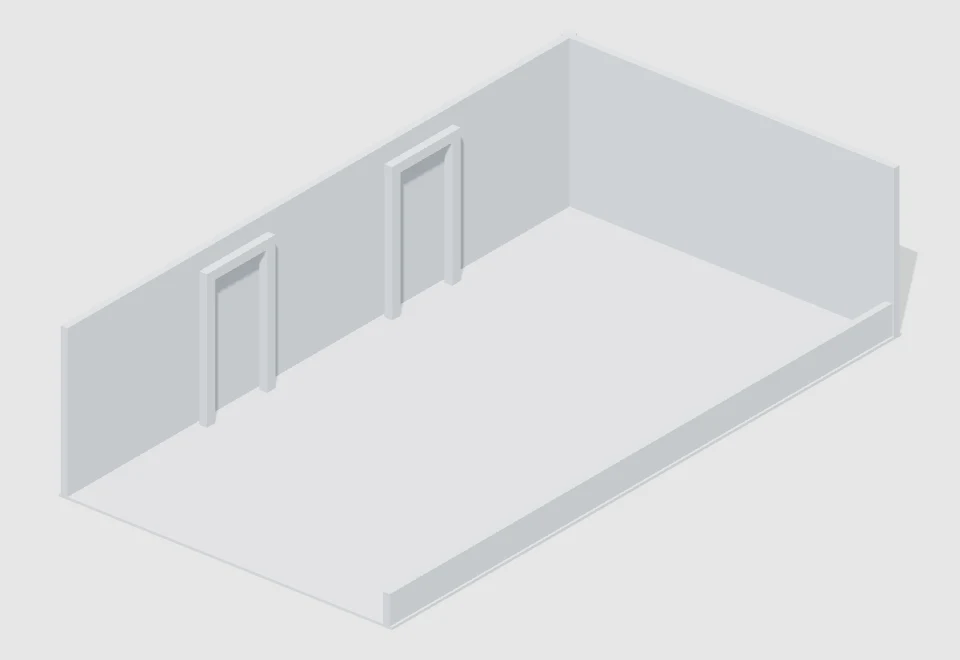
Open corridor — actual 3D preview.baimo-packView resource ↗

Public & circulation spaces/Corridors

Open corridor

By · Baimo Director

One full wall, one low wall and two doorway placeholders leave room to inspect blocking and tracking shots.

Medium · 6 × 2.7 × 11 mTimeless / unspecified

↓ Downloads: not tracked yet

Resource details and import
Open corridor — actual 3D render

Open corridor

One full wall, one low wall and two doorway placeholders leave room to inspect blocking and tracking shots.

TrackingBlockingCutaway set
Author
Baimo Director
Category
Public & circulation spaces / Corridors
Scale
Medium
Bounds · W × H × D
6 × 2.7 × 11 m
Site footprint
6 × 11 m · 66 m²
Era
Timeless / unspecified
Specific period
No specific period
Region
Region-neutral
Interpretation
Original simplified white model
File format / size
.baimo-pack · 6.2 KB
Resource version
v1.0.0
Added / updated
2026-10-18 / 2026-10-18
Downloads
Not tracked yet
Import access
Pro / active trial
Compatibility
v1.4.1+ · Mac / Windows
Contents
10 scene objects

Dimensions are the entire layout bounds; footprint is measured from the site floor. Scale tiers use footprint area.

Import in three steps

  1. Download the .baimo-pack file and save your current project.
  2. Open the template library and choose “Import template pack”; select the downloaded file. In older versions, look under “More”.
  3. Choose the imported template in the library to load it. Loading replaces the current scene objects.

General signed starter pack, without customer binding. The existing Pro access check still applies. No authored camera shots, dialogue or animation.

Use & attribution

Original resources by Baimo Director for scene creation and previs. Contact the platform before redistributing or reselling the resource files separately.

Download statistics are not enabled yet; no historical numbers have been estimated.

SHA-256 file checksum79065d04e6b6a2f1d49c7635cd4e20a837e4f5cda48f5947f2c1d57d49edece3
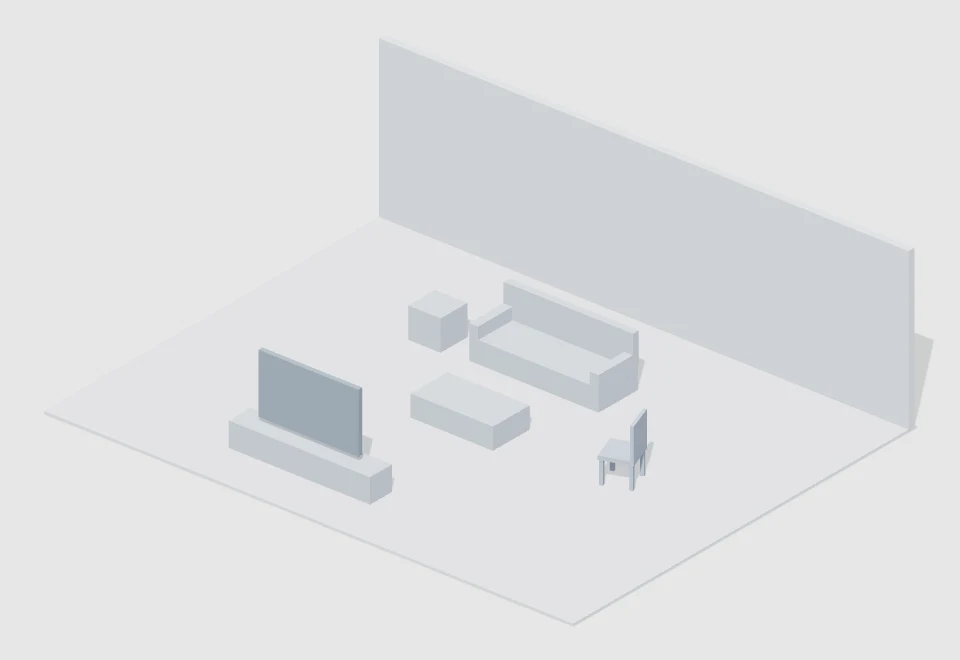
Living-room dialogue space — actual 3D preview.baimo-packView resource ↗

Residential spaces/Living rooms

Living-room dialogue space

By · Baimo Director

A sofa, armchair, coffee table and media-wall placeholder for home dialogue and relationship blocking.

Medium · 9 × 2.7 × 7 mContemporary

↓ Downloads: not tracked yet

Resource details and import
Living-room dialogue space — actual 3D render

Living-room dialogue space

A sofa, armchair, coffee table and media-wall placeholder for home dialogue and relationship blocking.

Home dialogueConversationInterior
Author
Baimo Director
Category
Residential spaces / Living rooms
Scale
Medium
Bounds · W × H × D
9 × 2.7 × 7 m
Site footprint
9 × 7 m · 63 m²
Era
Contemporary
Specific period
No specific period
Region
Region-neutral
Interpretation
Original simplified white model
File format / size
.baimo-pack · 6.8 KB
Resource version
v1.0.0
Added / updated
2026-10-18 / 2026-10-18
Downloads
Not tracked yet
Import access
Pro / active trial
Compatibility
v1.4.1+ · Mac / Windows
Contents
11 scene objects

Dimensions are the entire layout bounds; footprint is measured from the site floor. Scale tiers use footprint area.

Import in three steps

  1. Download the .baimo-pack file and save your current project.
  2. Open the template library and choose “Import template pack”; select the downloaded file. In older versions, look under “More”.
  3. Choose the imported template in the library to load it. Loading replaces the current scene objects.

General signed starter pack, without customer binding. The existing Pro access check still applies. No authored camera shots, dialogue or animation.

Use & attribution

Original resources by Baimo Director for scene creation and previs. Contact the platform before redistributing or reselling the resource files separately.

Download statistics are not enabled yet; no historical numbers have been estimated.

SHA-256 file checksumcd47328254a174023fa544173f87ac74b4a6532c0f64986f963666e5ce3d90dd

Resources are free to download. Importing models and template packs requires Pro or an active trial; downloading does not activate the software.

DOWNLOAD → IMPORT → CREATE

Download once. Build your own scene.

The square provides a starting point. Your blocking, cameras and story remain yours to create.

  1. 01

    Choose the right channel

    One prop: choose an object model. A starting layout: choose a scene template.

  2. 02

    Save before importing

    Use the matching import entry. Save your existing work before loading a scene template.

  3. 03

    Check the result

    Check scale, placement and visibility, then add your cast and cameras.

Can’t import a file? Tell us your app version, filename and error message. wd@edria.cn ↗

Resource details