
Why plan an AI video with 3D previs first?
A 3D previs makes scene layout, cameras, blocking, and timing visible before generation. Learn what it can clarify and how to hand the result to a video model.
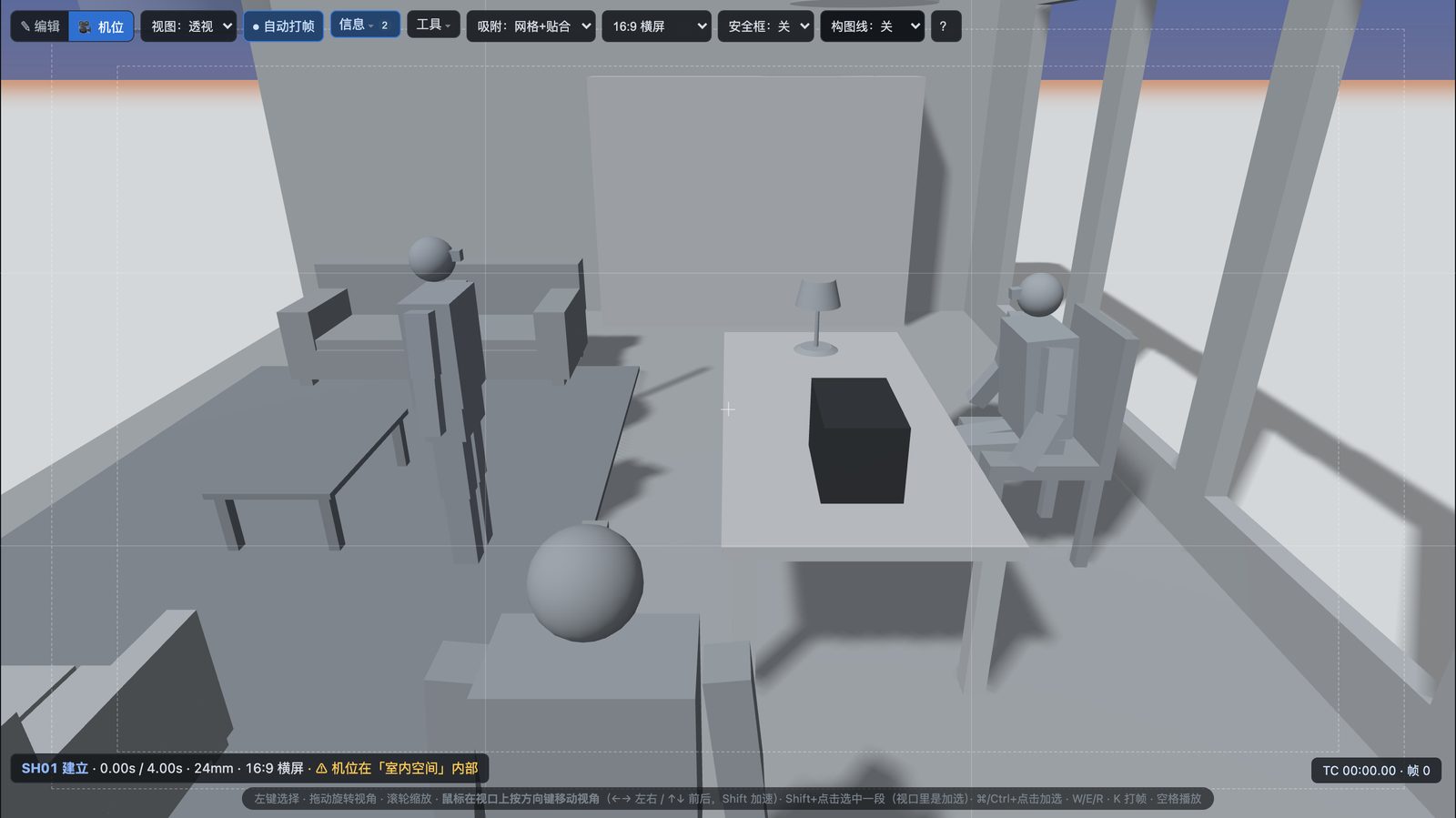
When a generated shot keeps missing the mark, the first problem to examine may be how clearly you have expressed how the shot should work. A 3D previs puts the set, characters, cameras, blocking, and timing on one timeline. It lets you inspect your intent as a sequence of images before choosing what to send to a video model.
What does previs actually solve?
Text can say, “The character walks toward the window as the camera follows.” It is less precise about which side the character crosses from, how far the camera is from them, where the window sits in frame, and how long the move should take. A whitebox previs does not create the final materials, lighting, or performance. It makes spatial relationships, composition, and timing visible first. You can then spot occlusion, an unsuitable camera position, a cut that comes too soon, or blocking that conflicts with camera movement.
It is useful to treat previs as a shooting plan. It reduces ambiguity, but it cannot guarantee that an external video model will follow every frame. A model may still change an action, a character’s appearance, or a shot’s rhythm. Compare the generated result with the plan and decide whether to revise the reference, change the prompt, or keep a better idea the model produced.
A five-step workflow
- State the shot’s purpose. In one sentence, say what the audience needs to see and how the feeling should change. List the required people and actions before adding visual style words.
- Build the smallest useful set. Place characters and the objects that define the space. Make sure doors, windows, tables, and other essential objects support the action before adding detail.
- Plan cameras and blocking. Set the starting and ending positions and any necessary camera movement on the timeline. Check that the action reads clearly before fine-tuning framing and pace.
- Play the whole sequence and inspect it. Watch from first shot to last. Check occlusion, geometry intersections, possible axis crossings, and very short shots. Diagnostic warnings are clues; the creative intent determines whether you change the plan.
- Prepare references for the target service. A previs video can convey motion and timing. First and last frames show starting and ending compositions. A prompt card adds written intent. Check the target video service’s current input requirements and pricing separately.
Baimo Director’s quick-start guide shows the actual steps for building a set, arranging shots, running diagnostics, and exporting. The video-model handoff guide explains what each export is for.
When can you skip previs?
For a single static image, an atmospheric clip without spatial continuity, or a deliberately open-ended experiment, direct text and image exploration may be faster. Previs becomes more valuable when multiple shots must preserve character positions, action direction, and set geography. The question is how much control the sequence needs, not whether every video must begin as a 3D scene.