
From script to shot list: how do you plan a scene for previs?
Decide what each shot must convey before choosing blocking, camera position, framing, and duration. Follow a reusable path from a short scene to 3D previs and a shot list.
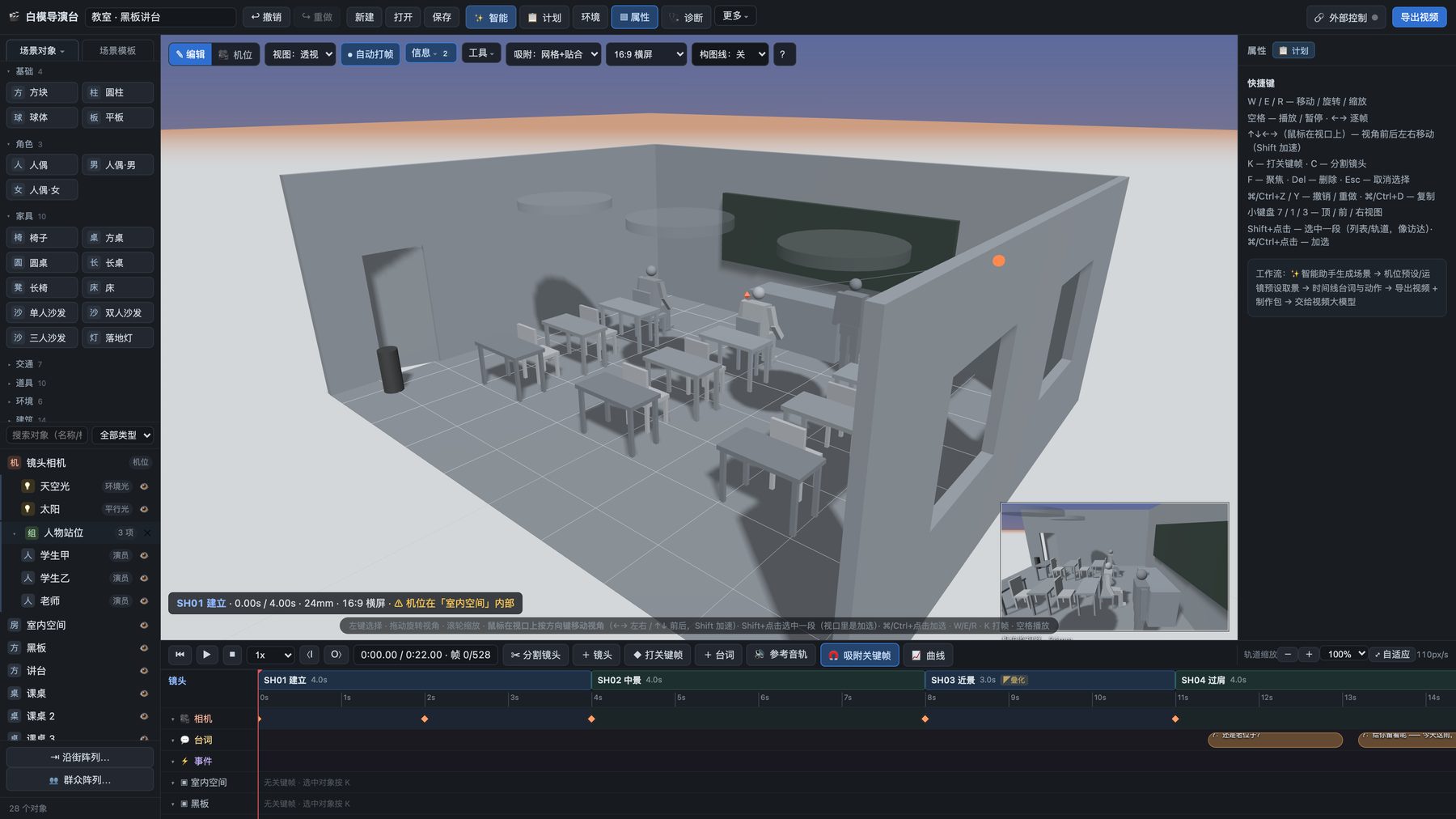
When dividing a scene into shots, first ask what the audience needs to learn at each moment. Then choose a wide shot, medium shot, or close-up. A shot list is more than a sequence of framing labels: it should give actions, relationships, and emotional changes a clear order in time. 3D previs helps you check whether those decisions work together in one space before you export the list.
Mark the action and information beats
Read the script once and mark moments that change the audience’s understanding: who enters, who discovers something, who reacts, and when the distance between characters changes. Not every beat needs its own shot, but these beats give you a reason for each camera choice.
For example, consider two people talking in an office before one receives a message and leaves. Start by noting the facts to convey: where both people are, who leads the conversation, the moment the message arrives, the other person’s reaction, and the direction of the exit. You do not yet need a lens choice or a complicated camera move for every beat. Check that no essential information is missing before deciding where to cut.
Give each shot a primary job
An opening wide shot can establish the people and the exit. Closer coverage can show expression and reaction during the conversation. When the message arrives, you might show the recipient’s response or the object itself. The departure should make the direction of movement clear. There is no single correct breakdown. If a continuous action reads better in one shot, there is no reason to cut merely to increase the shot count.
At minimum, record each shot’s purpose, framing, character action, camera direction, and estimated duration. These are starting decisions that may change in previs. “Close-up, three seconds” alone does not explain why those seconds matter or how the shot joins its neighbors.
Check space and time in 3D
Place characters and essential objects in a whitebox set. Arrange the cameras in order, add character blocking, and play the whole sequence. Focus on three questions: Do character positions remain intelligible across cuts? Does each action have enough time to finish? Are important expressions or objects hidden?
Baimo Director’s quick-start guide shows the entry points for scenes, shots, and the timeline. Its delivery tools can export a shot list and other production materials. Read the export before sharing it to make sure its descriptions match the actual previs. Diagnostic warnings can help reveal some issues, but they cannot decide the narrative rhythm for you.
Hand the list to the next creator
A useful shot list tells the next person why each shot exists, what image it begins from, and what information it leaves behind. For shots destined for an AI video workflow, a previs video or first and last frames can show motion and composition alongside the list. Check the target platform’s current input specifications before choosing what to send. The shot list then carries decisions, while the visual references carry space and time, rather than asking one paragraph to explain everything.