
A previs checklist for axis crossings, occlusion, and geometry issues
Before handing off a whitebox previs, inspect spatial continuity, subject visibility, and geometry. Learn what diagnostics can flag and what still needs creative judgment.
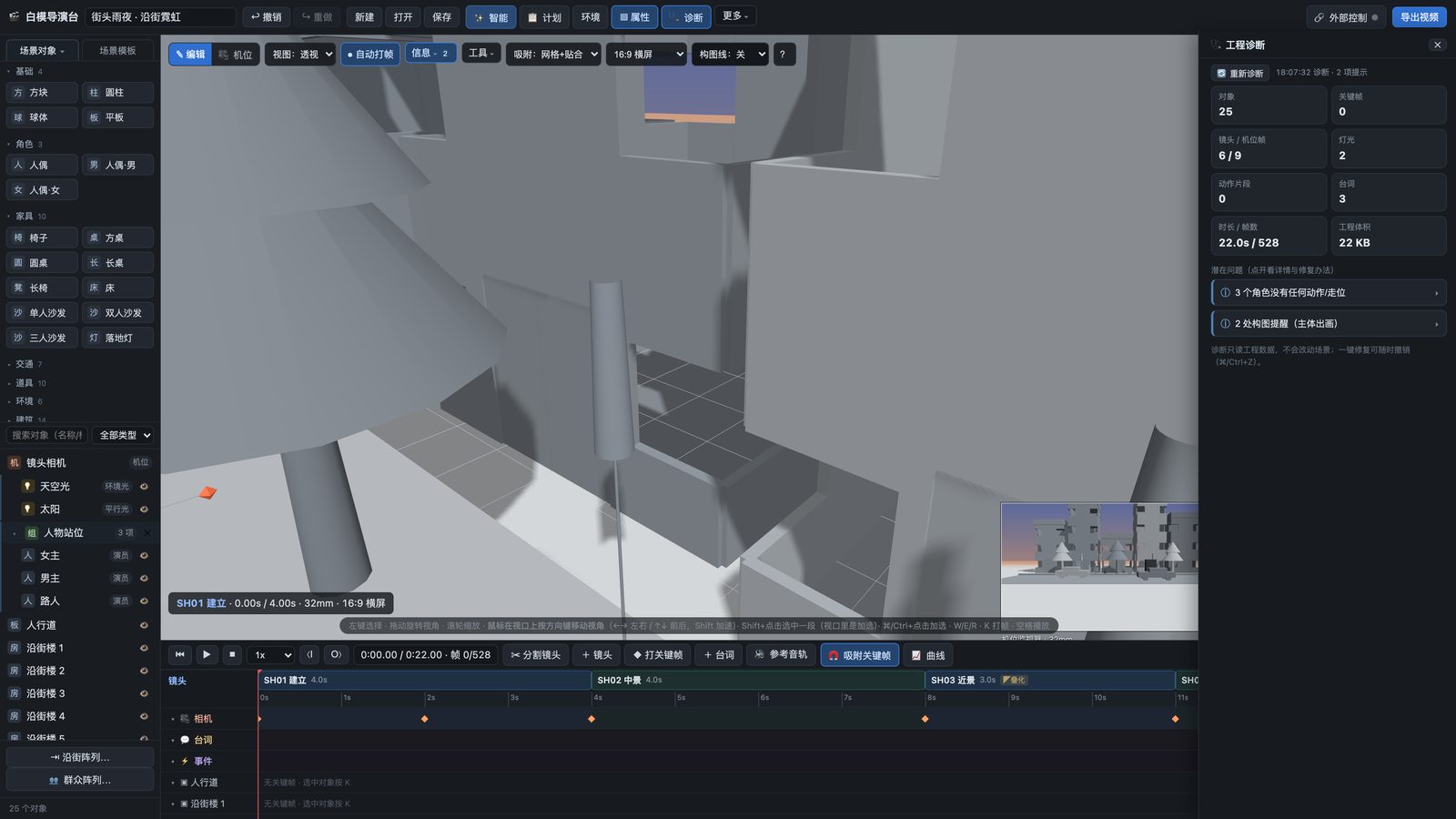
One benefit of previs is finding problems while they are still easy to change. Before handoff, check three things: Can the audience understand the spatial direction, see the essential action, and believe where people and objects are placed? Axis crossings, occlusion, and geometry intersections point to different risks. A diagnostic warning, however, is not a ban on a creative choice.
1. Check character positions across cuts
In dialogue and pursuit scenes, viewers often use screen direction to understand relationships. If neighboring camera positions cross the line of action between characters, their left and right positions may suddenly reverse. This can look like an unintended axis crossing. Crossing the line can also be deliberate, but the audience needs enough information to rebuild its sense of direction.
Play adjacent shots in sequence rather than inspecting isolated stills. Note each person’s screen position, eyeline, and movement direction. If the cut suggests that someone has changed places, try moving a camera or adding a view that re-establishes the geography. Baimo Director’s diagnostics can flag some possible 180-degree-line issues. The final decision still depends on what the sequence communicates when watched.
2. Check whether the subject is visible
Find the crucial moment in each shot: a reaction after a line of dialogue, a hand picking up an object, or a character reaching the door. At those moments, check whether a wall, column, piece of furniture, or another person hides the action. Also ask whether the camera is too far away for the intended detail to read.
Occlusion can be intentional. You might hide a character now to reveal them in the next shot. The question is whether the obstruction serves the shot’s purpose. If it is accidental, adjust the character, object, or camera, then replay neighboring shots to make sure the fix has not broken continuity elsewhere.
3. Check geometry and action duration
A geometry intersection occurs when a character or object passes unrealistically through another surface. A floating object lacks visible support where it should meet a floor or piece of furniture. Such errors make a whitebox reference less trustworthy. Check the beginning, middle, and end of a movement, especially near tables, doors, and walls. Watch for shots that cut away before an action has time to finish.
Baimo Director’s diagnostics overview and quick-start guide show where to find the tools and common warnings. Automated detection covers only the rules it has been built to check. Performance, composition, and narrative effectiveness still require a creator to watch and judge the full sequence.
Review the complete sequence once more
Play from beginning to end in the intended order. Record the shot and time of each problem, fix them one by one, then watch the whole piece again. Treat a clear diagnostics panel as one technical check, not a quality guarantee. An external video model may introduce new occlusion, deformation, or directional changes during generation, so the final output needs its own review.